Resources

Resource Hub

Starting your journey in understand the requirements of your business, and whether or not you need a dedicated IT Partner, can be pretty daunting. Choosing the right IT provider can make or break your business's technology infrastructure. It's not just about finding a vendor; it's about forging a partnership that aligns with your goals and supports your success. 

This page is designed to provide tools and resources to hep you work out what is right for you. 

Tools to help protect your business

Security awareness

Have I Been Pwned?

Check if your email address or passwords have appeared in a known data breach. Free, instant, and no account needed — share with all staff.

Visit haveibeenpwned.com →
Security awareness

Google phishing quiz

An interactive quiz that tests your ability to spot phishing emails. Takes about 5 minutes — great for staff inductions and security refreshers.

Visit phishingquiz.withgoogle.com →
Security awareness

KnowBe4 free security test

Run a free simulated phishing test against your organisation. Requires a business email to sign up, but the test itself is free — a useful baseline for any team.

Visit knowbe4.com →
Free tool

VirusTotal

Upload a suspicious file or paste a URL to scan it against 70+ antivirus engines instantly. Useful when you receive an unexpected attachment or unfamiliar link.

Visit virustotal.com →
Free tool

NCSC UK cyber action plan

Answer a short questionnaire and receive a personalised cyber security checklist for your business. Practical and jargon-free — a good starting point for any organisation.

Visit ncsc.gov.uk →
NZ Resource

NCSC New Zealand

New Zealand’s official cyber security agency, formed when CERT NZ merged with the National Cyber Security Centre in 2024. Report incidents and access free business guides.

  • Report a cyber incident directly to the NCSC
  • Free security guides for small businesses
  • Current threat advisories and alerts
  • Cyber Security Awareness Month resources
Visit ncsc.govt.nz →
Free tool

Check your password with Bitwarden

Bitwarden — one of the world’s most trusted password managers — offers their own free password strength tester. It checks your password and gives you an estimated crack time. Nothing you type is stored or sent anywhere.

Test your password on Bitwarden →
AI Awareness

The hidden dangers of free AI tools

Free AI tools are being used across businesses every day — but most people don’t know what happens to the data they type in. Read our guide on what to watch out for before using free AI tools at work.

Read the article →

Free policy templates

Download and adapt these free templates for your business. Each one is provided as a starting point — review and update them to reflect your own systems, people, and processes before use.

AI Policy

AI Acceptable Use Policy

Sets out how staff can and cannot use artificial intelligence tools at work — covering data privacy, approved tools, and what information must never be entered into AI systems.

Download template (PDF)
IT Policy

General Acceptable Use Policy

Defines acceptable use of company devices, internet, email, and software. Helps set clear expectations for staff and supports your cyber insurance obligations.

Download template (PDF)
Security Policy

Cyber Incident Response Policy

A step-by-step framework for responding to a cyber security incident — covering who to contact, how to contain the issue, and what to document for insurance and reporting purposes.

Download template (PDF)
Business Continuity

Business Continuity Policy

Outlines how your business will continue operating during and after a disruption — whether that is a cyber attack, natural disaster, or critical system failure. Essential for any business that cannot afford extended downtime.

Download template (PDF)

Disclaimer: These templates are provided as a general starting point only and do not constitute legal advice. Computer Services Ltd accepts no liability for any loss arising from use of these documents. We recommend reviewing any policy with a legal adviser before adopting it for your business.

Cyber Smart Week 21-27 October 2024

Stop The Scamathon this Cyber Smart Week

What are the challenges on your plate? 

There are a few common challenges that businesses have that signal they need to improve their IT Support:

How does your business stack up on IT Security Fundamentals?

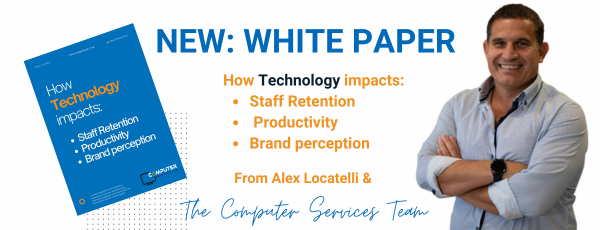
Download Now: White Paper from our Chief Technology Officer, Alex. 

Question to Ask Any IT Services Provider

Not knowing what you don't know is one of the most challenging aspects of identifying an IT service provider. Here are some questions you can ask to help work out your needs, and what level of support you require...

1. What Are Your Core Services?
2. How Do You Handle Customer Support?
3. What Is Your Experience with Businesses Like Mine?
4. How Do You Ensure Data Security and Compliance?
5. What Is Your Approach to Scalability and Growth?
6. What Are Your Service Level Agreements (SLAs)?
7. How Do You Handle Onboarding and Transition?
8. What Are the Costs and Pricing Models?
9. How Do You Stay Updated with Technological Advances?
10. Can You Provide References or Case Studies?

What is ‘Managed IT Services’? 

There is large diversity in the capability and work styles of those in the financial services and insurance industry. From administrative staff, and management, to fully remote brokers, protecting business continuity and meeting a minimum benchmark of staff capability is business-critical. 


In the past, businesses have sought professional support for one or two IT security requirements. Unfortunately, too often the need to upgrade arises through disaster, which is both stressful and costly to overcome as it requires fast, comprehensive and expert support - often outside our client scope of work.  


To overcome this, Computer Services has introduced our Managed IT Services offering.


Managed Services What Do You Get? 


Traditional: Break - Then - Fix IT Support

New: Managed IT Services

  • Reactive to issues as they arise
  • Proactively identify and resolve
  • Limited services & scope of support
  • Full spectrum of services and customer support
  • Keep up to date with new technology
  • Keeps pace with new technology used by your team
  • Reliance on your IT Manager
  • Reduces wait times and reliance on your in-house IT
  • Large one-off unplanned disaster costs
  • Predictable monthly costs
  • Long wait times for remote support
  • Customised, tiered levels of remote support

Does this mean disaster never occurs? Unfortunately not, but by proactively keeping pace with technology, hosting the datacentre securely, reducing reliance on manual monitoring, offering strategic advice, raising team awareness and capability and so much more, we are mitigating the opportunity for disaster and attacks, and doing so at a fair, consistent price point. 


Our Managed IT Services for local businesses:

Read more about how we help local businesses with holistic, managed IT services, and whether this would be right for you. 


Remote Support

Cloud Computing

Office 365 Management

Cyber Security

Cloud Back-Up

Internet/Voip

Managed IT Services

Disaster Recovery

Quick links to our other helpful resources, document and downloads

Is your Microsoft 365 data actually backed up?
Technician Verify - MSP Process
How Long It Would Take A Hacker To Brute Force Your Password In 2023
[EYE OPENER] Phishing Attacks 61% Up Over 2021
Mobile phone device security
Attackers are no longer breaking in. They are logging in.
Stop The Scamathon 2024
Legal Practice Management Software for modern NZ law firms.
Collaborate on files within Microsoft Teams
Social Engineering Red Flags
Why antivirus alone isn’t enough anymore
Ransomware Strains Almost Double in Six Months from 5,400 to 10,666
Should You Upgrade to Windows 11 or Keep Updating Windows 10?
The Hidden Dangers of Free AI
2024 Timeline of Attacks
Why Your Browser Needs Next-Gen Protection
Copilot By Business Function
Why Does New Zealand Need the Essential Eight?
Benefits of Zero Trust in todays hybrid environment
How to encrypt email in Outlook 365
Self-Assessment: Rate Yourself On CyberSecurity
Discover Windows 365, the world's first Cloud PC
6 Browser-Based Attacks Security Teams Must Watch out for in 2025
Our current software recommendations for the financial services industry
Foxit PDF Pro, combined with the Managed Services Console
Introducing Microsoft Defender
Microsoft Co-Pilot Prompts To Try
Device Policies, Mobile Management Policies, Distinctions and Applications
What is Passwordless Authentication?
Planned and Unplanned Downtime
10 Cyber Security Tips
Sentinel One vs. Windows Defender EDR: Exploring the Differences
Benefits of ChatGPT in todays business
Cybersecurity Myth: “We’re Too Small to Be a Target”
Cybersecurity Update: Are You Protected Where It Counts?
How to Protect Your Mobile Devices with Microsoft Defender
Copilot By Industry
One Month On: “Largest IT outage in history”
Microsoft 365 Email Monitoring and Reporting with AdminDroid
Need a password? Try the 1Password Strong Password Generator.
10 of the biggest ransomware attacks of 2022
Mother of All Breaches
Is IT the number one thing your staff complain about?
Office EU - Comming soon
Security awareness training topics
What Technology Do I Need To Grow My Business?
Even the makers of artificial intelligence are urging caution
80% of security breaches involve compromised passwords.
How to Block Mobile Attacks

What our other clients have to say: